
Overview
You can use Sinch Contact Pro's live transcription and AI analysis to help Communication Panel agents handle incoming queue calls.
Using a live transcription of the call, AI can carry out an analysis on the call and show the results in Communication Panel's AI extension during the call. You can configure if the agents see both the transcription and analysis.
If you transfer the call, start a conference, or join a consulted agent to the call, the transcription ends.
During the call:
-
When the agent accepts an incoming queue call on a queue using live transcription, transcription starts automatically.
-
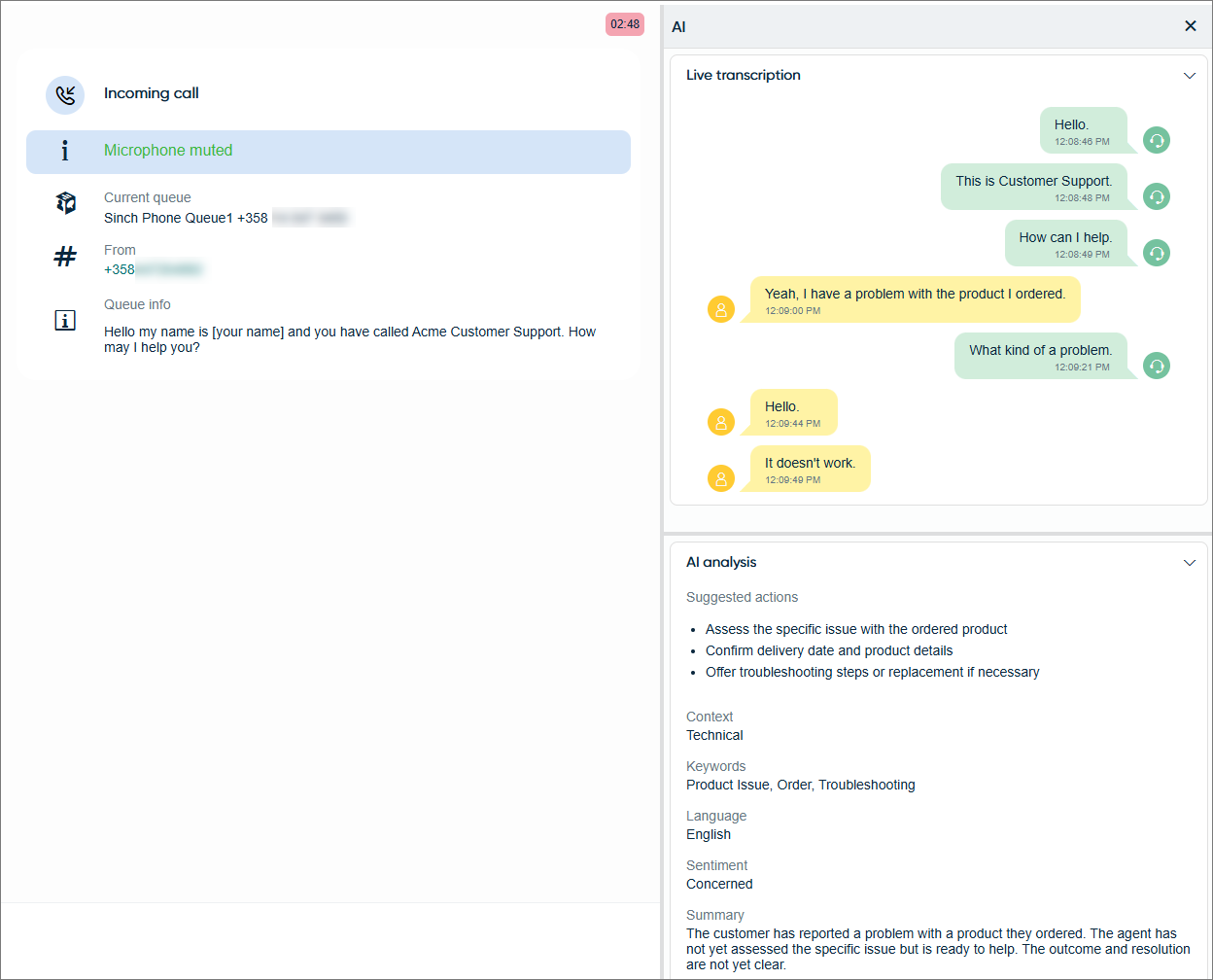
The agent opens the AI extension in the extension area, which shows two collapsible sections:
-
Live transcription: chat-style bubbles with timestamps, color-coded for different speakers
-
AI analysis: a rolling analysis that, by default, includes the following fields:
Suggested actions: three best suggestions for next steps in the conversation
Context: a concise characterization of the context of the conversation
Keywords: a few keywords to describe the conversation
Language: the language of the conversation
Sentiment: the customer sentiment in the conversation
Summary: a compact summary of the conversation
If custom instructions have been given to the AI, the analysis also follows the prompt given.
The transcript is sent to AI regularly during the call to keep the analysis up to date.
-
-
If the agent puts the call on hold, the transcription is paused. Once they resume, transcription continues from where it stopped.
-
When the call ends, the transcript and AI analysis remain visible during wrap-up.
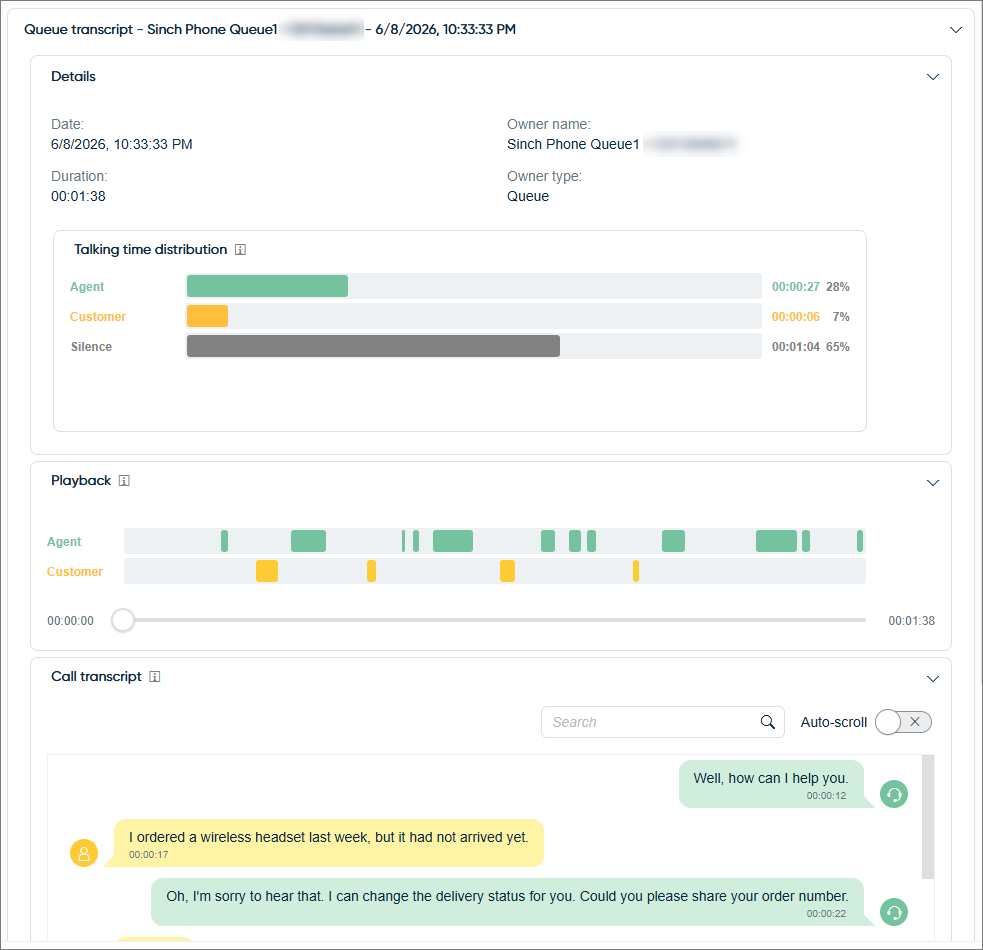
After the call, the agent can access the transcription and AI analysis through the History view. The transcript can be found in the section called Queue transcript and the AI analysis in the Conversation details extension.
Supported languages
The supported languages for transcription and analysis depend on the package you've purchased. In the basic package they are English, Spanish, French, German, Italian, and Portuguese. The extended package includes the following languages:
| Language | ISO code |
|---|---|
| Afrikaans | af |
| Albanian | sq |
| Arabic | ar |
| Azerbaijani | az |
| Basque | eu |
| Belarusian | be |
| Bengali | bn |
| Bosnian | bs |
| Bulgarian | bg |
| Catalan | ca |
| Chinese | zh |
| Croatian | hr |
| Czech | cs |
| Danish | da |
| Dutch | nl |
| English | en |
| Estonian | et |
| Finnish | fi |
| French | fr |
| Galician | gl |
| German | de |
| Greek | el |
| Gujarati | gu |
| Hebrew | he |
| Hindi | hi |
| Hungarian | hu |
| Indonesian | id |
| Italian | it |
| Japanese | ja |
| Kannada | kn |
| Kazakh | kk |
| Korean | ko |
| Latvian | lv |
| Lithuanian | lt |
| Macedonian | mk |
| Malay | ms |
| Malayalam | ml |
| Marathi | mr |
| Norwegian | no |
| Persian | fa |
| Polish | pl |
| Portuguese | pt |
| Punjabi | pa |
| Romanian | ro |
| Russian | ru |
| Serbian | sr |
| Slovak | sk |
| Slovenian | sl |
| Spanish | es |
| Swahili | sw |
| Swedish | sv |
| Tagalog | tl |
| Tamil | ta |
| Telugu | te |
| Thai | th |
| Turkish | tr |
| Ukrainian | uk |
| Urdu | ur |
| Vietnamese | vi |
| Welsh | cy |