
Session Border Controller (SBC)
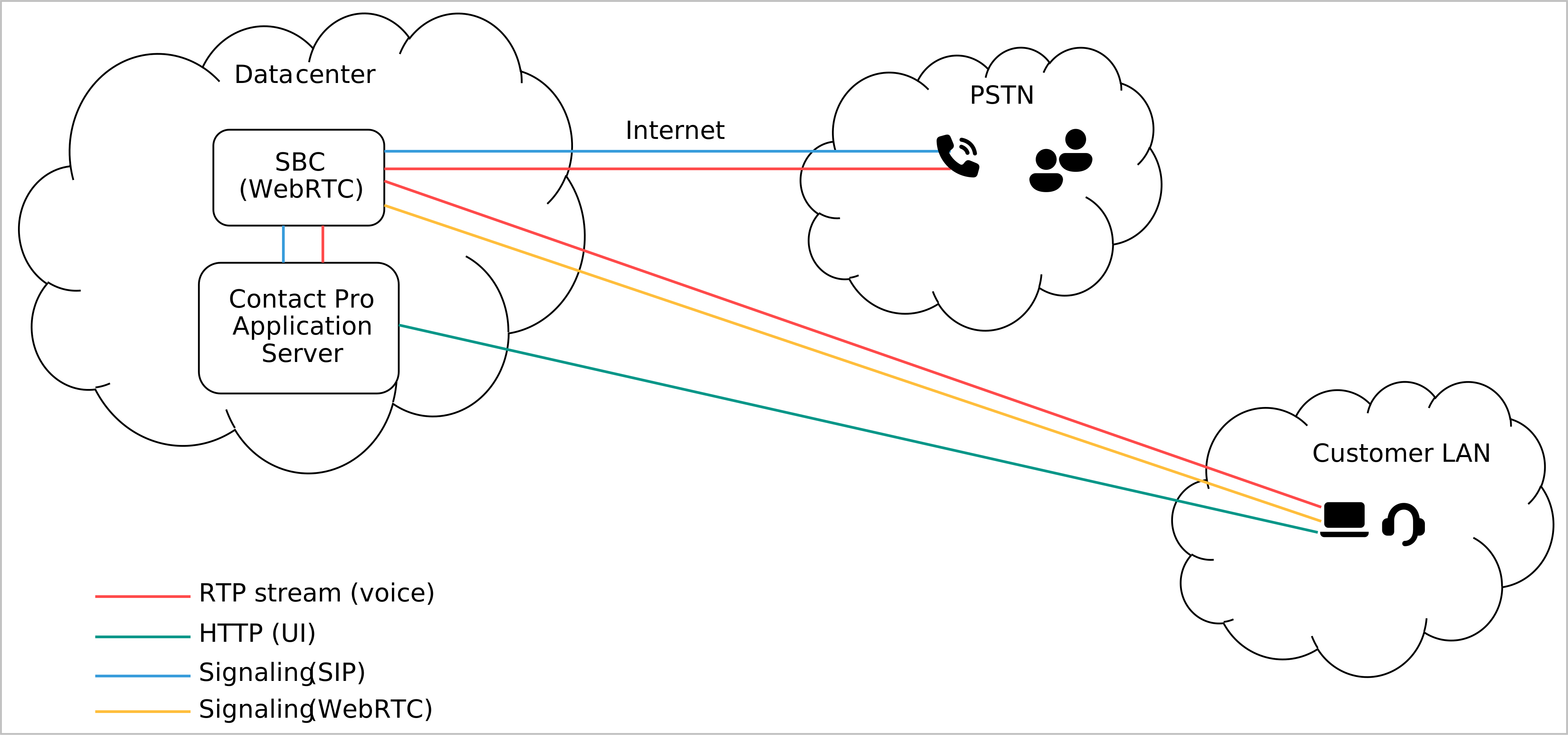
Sinch Contact Pro needs an external SBC system to translate incoming Communication Panel traffic from WebRTC to SIP. For handling that SIP traffic, Sinch Contact Pro needs a dedicated SIP Bridge module.
Call and signaling flow and different traffic types are described in the following image. RTP and SIP traffic between Sinch Contact Pro and SBC can be encrypted with Sinch Contact Pro. It is your responsibility to encrypt traffic between the SBC and the agent, as well as between the SBC and the SIP trunk.
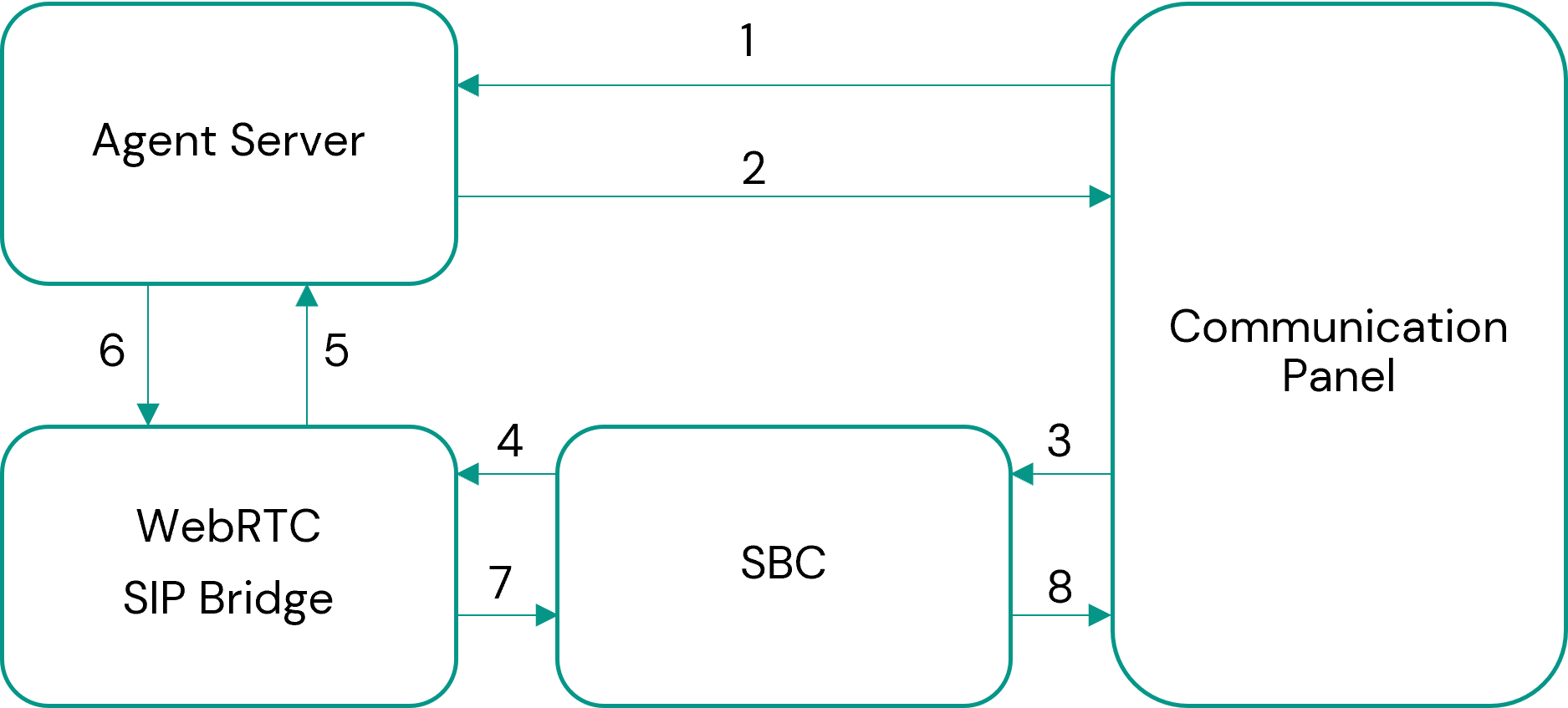
The image below shows the traffic between the components in more detail.
-
An agent logs in to Communication Panel.
-
Communication Panel receives SBC address and SIP identity.
-
Communication Panel sends a SIP REGISTER message.
-
SBC creates a new SIP REGISTER message with the SIP identity to the received SBC address.
-
WebRTC SIP Bridge sends the received REGISTER message to Agent Server.
-
If the authentication is successful, Agent Server informs WebRTC SIP Bridge.
-
WebRTC SIP Bridge sends a 200 OK for REGISTER message to SBC.
-
SBC sends the message to Communication Panel.