
Integrations
The following changes have been made in integrations.
Editing the AI analysis
It's now possible to edit the AI analysis of a conversation in Communication Panel. If an AI analysis has been edited, the name of the agent and the timestamp of the edit is shown under the analysis in the Conversation details extension.
When using call transcript, your AI analysis is editable automatically. If you're using an event-driven configuration for saving AI analyses, you'll need to add the new save-ai object into your configuration. For more information, see the Event-driven integrations document.
If the AI analysis is saved into conversation attached data (CAD), editing is not possible. Saving the AI analysis into CAD is still supported and shown in Communication Panel as before. Note that old AI analysis data remains in CAD and can't be edited.
CMI has new resources for AI analysis data:
-
GET /cmi/contacts/:id/aiAnalysis for returning the current version of the AI analysis
-
GET /cmi/contacts/:id/aiAnalysis/history returns all versions of the AI analysis
-
POST /cmi/contacts/:id/aiAnalysis adds a new AI analysis
Communication Panel Third-Party Extension Messaging API
You can now query picklist content by using the new picklist command. The list returned is the same the user sees in Communication Panel's Picklist.
Event-driven integration (EDI) framework
You can now prevent the Ended event from being triggered when an agent transfers a chat, for example, to stop a feedback survey from being sent. When a conversation is transferred, the system ends the original conversation and creates a new one. As a result, any integration linked to the Ended event will be triggered unless you define the new event.details property for the Forwarded event with a condition.
It's now possible to set the language used for the conversation's prompts based on the response data. You can set the language as any of the built-in prompt languages of Contact Pro.
Queue for outgoing queue calls
Previously, EDI sent contact.queue as null for all outgoing queue calls. Now contact.queue has a value when the calling agent has a queue's extension number configured as the caller number.
Maximum number of triggered integrations
The maximum number of triggered integrations was three. Now integrations with endpoint URL edi://echo are excluded from the calculation. This means you can have at most three integrations with an endpoint URL starting https:// and any number of edi://echo integrations triggered for the same conversations.
Value format specifiers
Two new value format specifiers have been added to the EDI framework:
-
f! for converting a resolved value to float
-
j! for converting a resolved value from JSON string to object
When specifying the format for a JSON request value, you can now manipulate strings by:
-
indexing, which makes it possible to refer to individual characters in a string
-
slicing, which means extracting a substring
-
reversing
-
find/replace, which also supports using regular expressions
-
Base64 encoding and decoding them.
Optimization
The EDI framework has been optimized in situations involving synchronous requests.
Metadata
Chat metadata is now available for EDI as customer CAD.
Custom fields in SAP Service Cloud for saving call transcript
It's now possible to use custom fields in SAP Service Cloud to store AI analysis and call transcript data. The names of the custom fields must be configured in the event-driven integration used for call transcription. For backward compatibility, AI analyses can be still stored in the Notes field on the customer's timeline view as before.
Chatlayer voice bot integration: automatically creating a SAP Service Cloud ticket or SAP Service Cloud version 2 case
Creating a ticket into SAP Service Cloud or a case into SAP Service Cloud version 2 from a Chatlayer voice bot is now possible. The Chatlayer voice bot greets callers and conversationally gathers the details of their issue. The bot automatically creates a new case or ticket in SAP Service Cloud or SAP Service Cloud version 2, identifying the customer by their phone number. If the call is transferred to a live agent, the newly created ticket instantly appears on the customer's timeline. This gives the agent immediate context and automates the ticket creation process fully, saving valuable time.
Chat attachment upload to SAP Service Cloud (C4C)
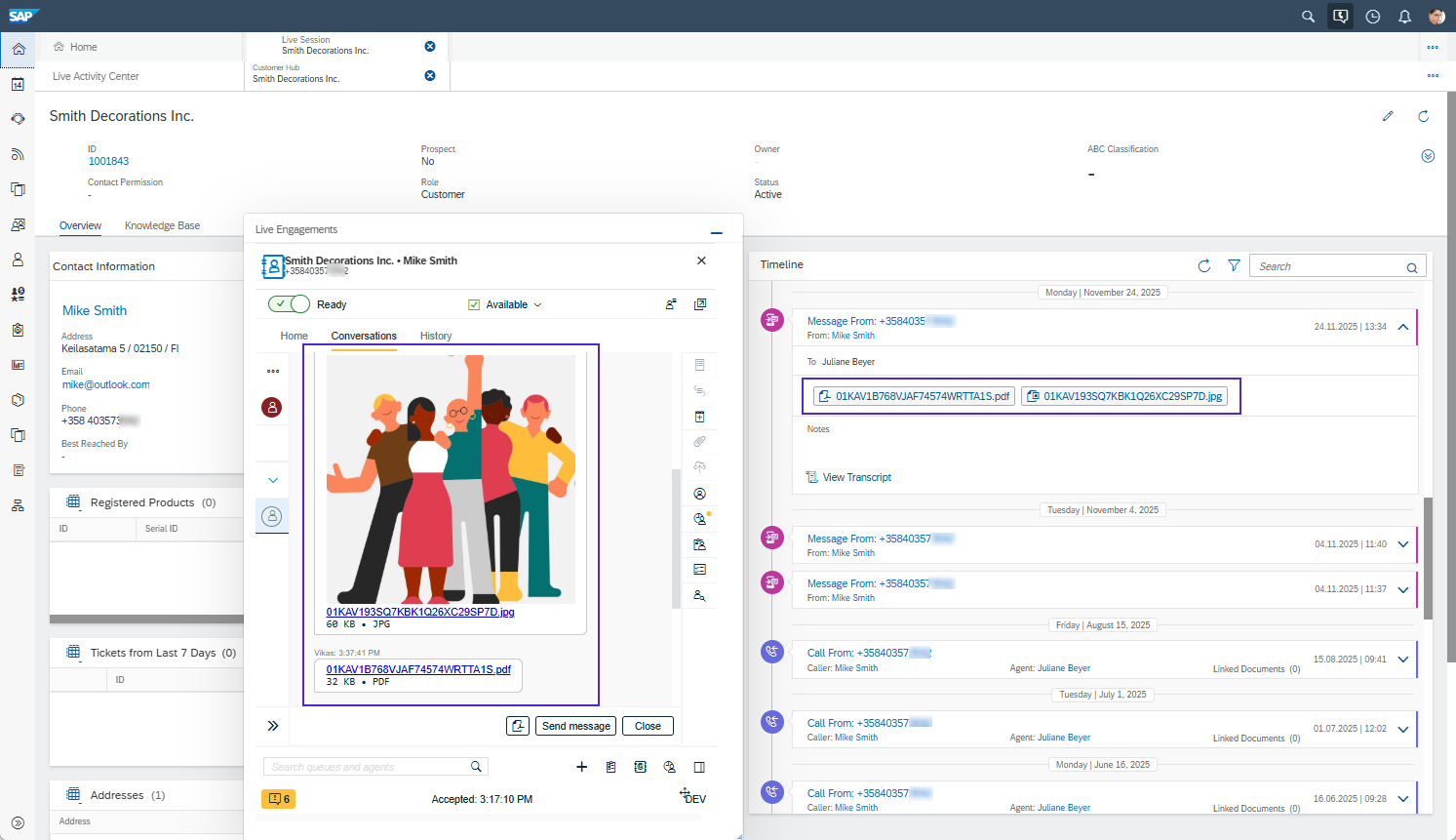
You can now configure chat attachments to be uploaded to SAP Service Cloud (C4C). After the chat ends, attachments are automatically uploaded to C4C and shown on the Customer Hub Timeline. Note that upload is not supported in SAP Service Cloud Version 2.
Salesforce search
The Salesforce integration now uses Softphone Layouts to control the information agents see when a new conversation is offered to them. This means you'll need to add a Softphone layout in your Salesforce configuration.
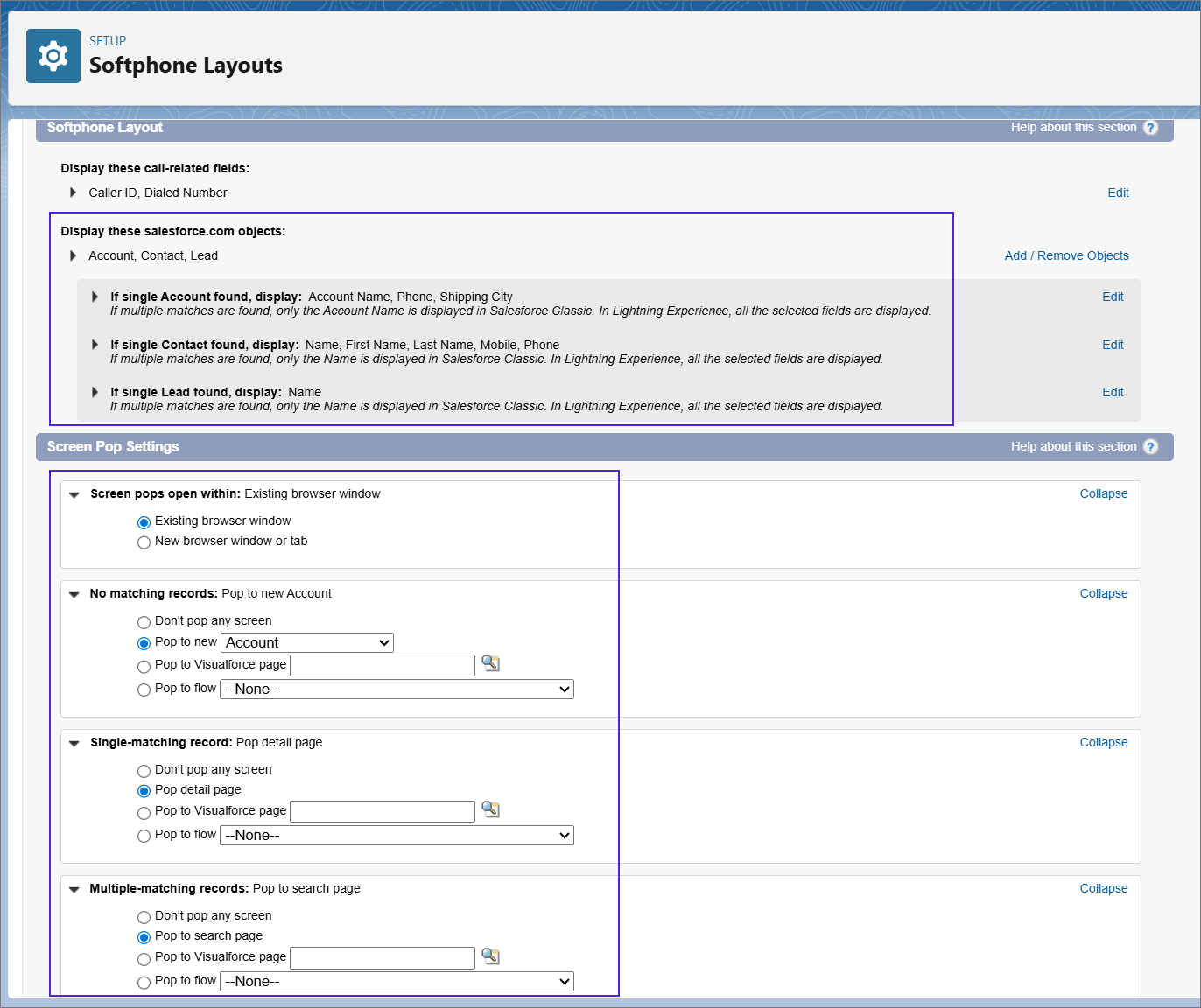
The Salesforce integration now also supports searching cases, leads, and accounts in addition to contacts. In cases where there are multiple search results for customer number or email, the user interface allows the user to select the correct search result per incoming or outgoing conversation. The search and screen pop behaviour follows the Softphone Layout configuration.
AI analysis
It's now possible to customize the AI analysis done based on call transcription by specifying the instructions given to AI.
This makes it possible, for example, to:
-
Add a new field to the AI analysis called Call reason and derive the reason from the call transcript with a short explanatory description.
-
Highlight any billing issues in the summary.
-
Adjust the call summary length based on the transcript length. Keep summaries brief for short transcripts, and for longer transcripts ensure the summary highlights all key points.
In addition, the AI model used has been updated to improve results.
SAP C4C V2 integration enhancements
-
Automatic upload of post-call AI analysis: Large language model (LLM) has been updated, and SAP analysis has been improved.
-
Automatic case creation during bot interaction: Cases are now created automatically during the initial voice bot or chatbot interaction using Chatlayer.
-
AI-powered email handling and C4C synchronization: SAP has implemented email integration on their side, completing the flow.
Other Sinch products
The following was fixed outside the Sinch Contact Pro release cycle:
The Orchestrator team resolved issue where ending a chat in Sinch Chat didn't end the chat session for the agent.
Communication Panel Control (CPC)
CPC now supports the following functions:
-
Ready status and presence profile changes
-
Downloading logs
-
Joining and unjoining queues
For more information, see the CPC API document.