
Communication Panel (CP)
The following changes and improvements have been made in Communication Panel.
Scroll position
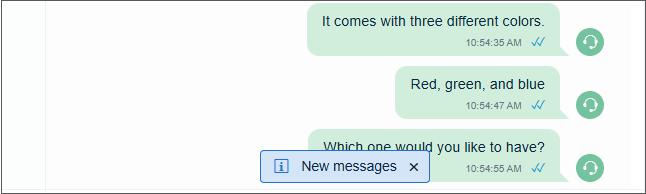
When viewing chat conversations in the Conversation history view, the cursor position is now maintained when switching between conversations or views. If the conversation is active and new messages arrive, CP shows an information message. Clicking this message takes the user to the latest message, while closing it keeps the current cursor position.
Serving agents in queue
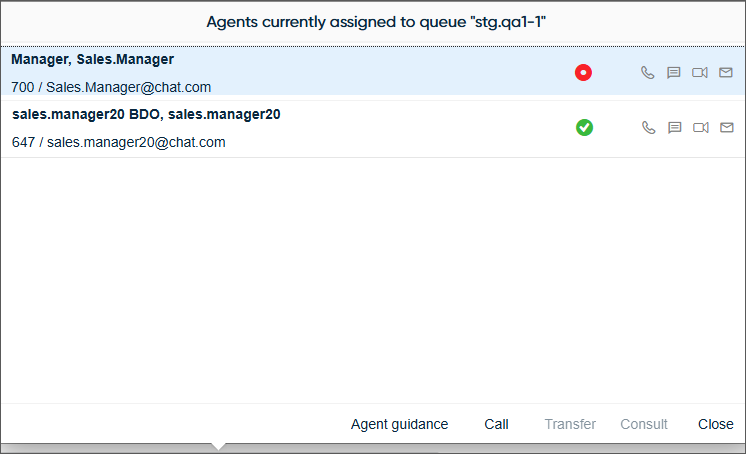
The filtered search title has been improved when using the Free / Serving agents shortcut.
Browser and its version
The CP log now includes the user's browser name and full version number at all log levels, for example, Google Chrome 138.0.7204.159. You can find this information by searching the log for browser. Note that Safari and Firefox don't give this full version format but instead, a shorter version is logged, such as Firefox 140.

Notification for hunt group calls
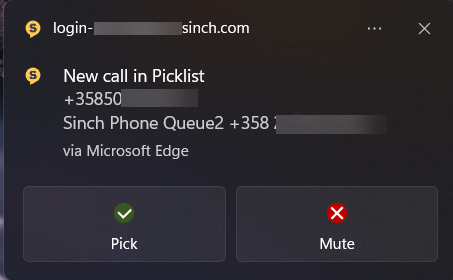
The operating system notification for hunt group calls has been improved. The notification is now shown when the call is being offered giving the following options:
Time selection
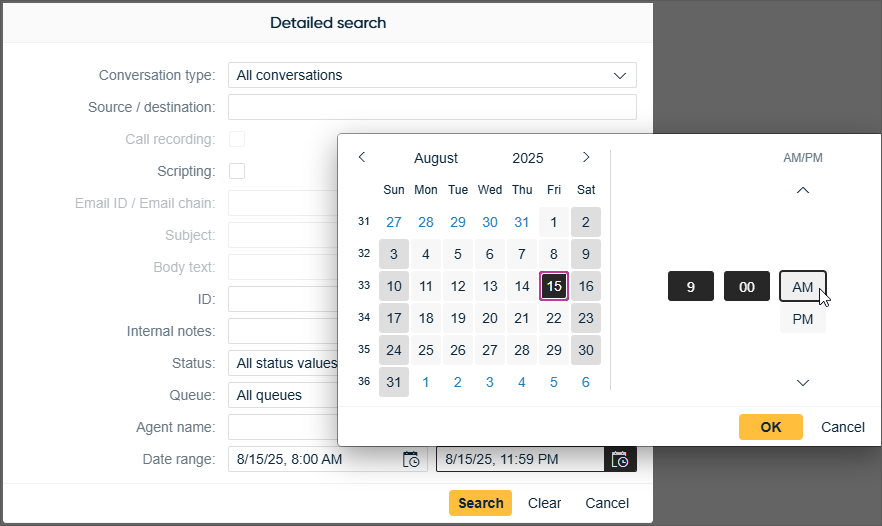
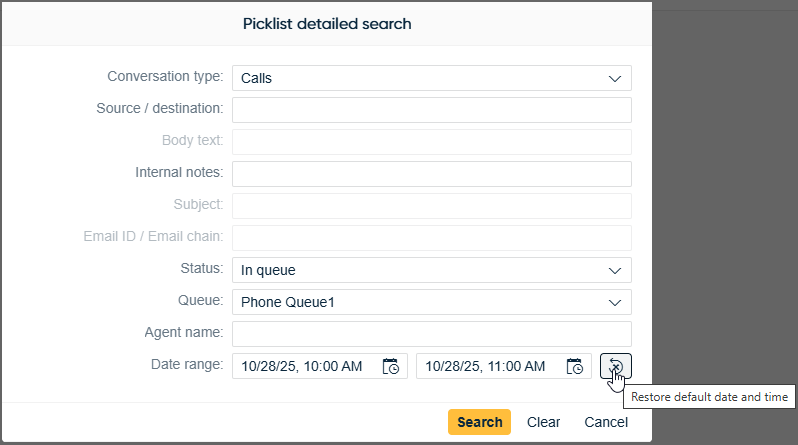
The detailed search in the Picklist and History views has a new option available to define the time range for the search. Time can be specified either by scrolling in a separate selection window or by entering it manually into the Date range field. The UI language defines which date and time format is used.
Conversational channel error messages
Error details for chat conversations using the Conversation API are now shown directly in the message, rather than in a tooltip.
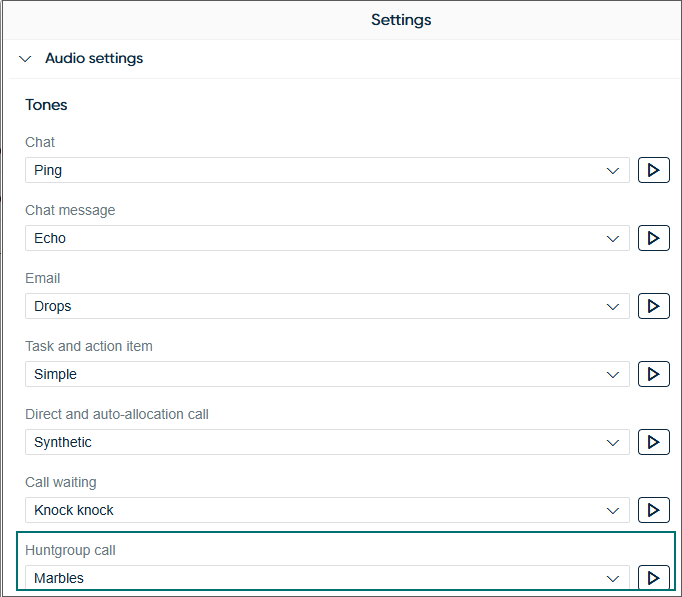
Ringtone for hunt group calls
It's now possible to set a different ringtone for hunt group calls, making it easier to distinguish them from direct and auto-allocation calls. Because of this change, the existing Call field has been renamed to Direct and auto-allocation calls. We've also added a new ringtone option: Marbles.
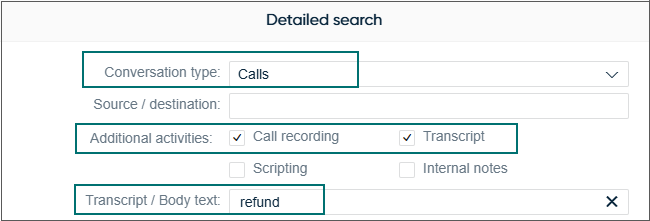
Search option for call transcripts
It's now possible to search for specific words or phrases within call transcripts using the detailed search in the History view if the system is configured to save them.
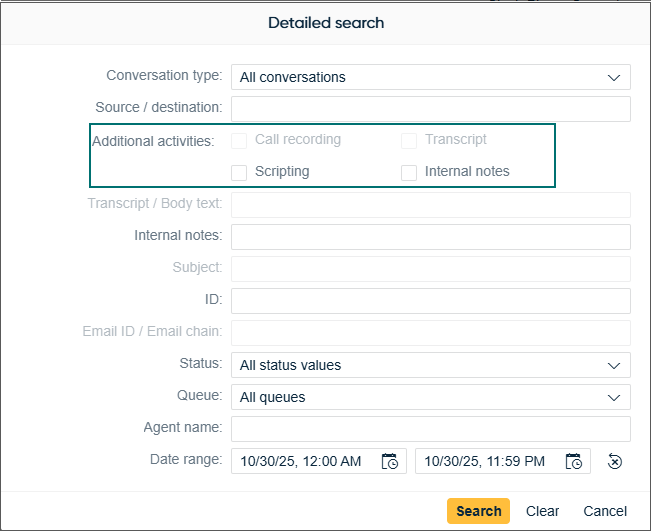
Additional activities
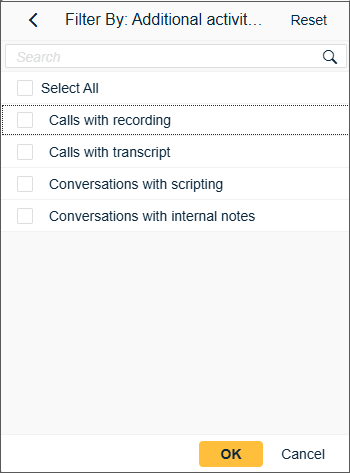
The Additional activities option in a detailed search now allows users to find conversations that contain transcripts or internal notes, in addition to the existing recordings and scripting options.
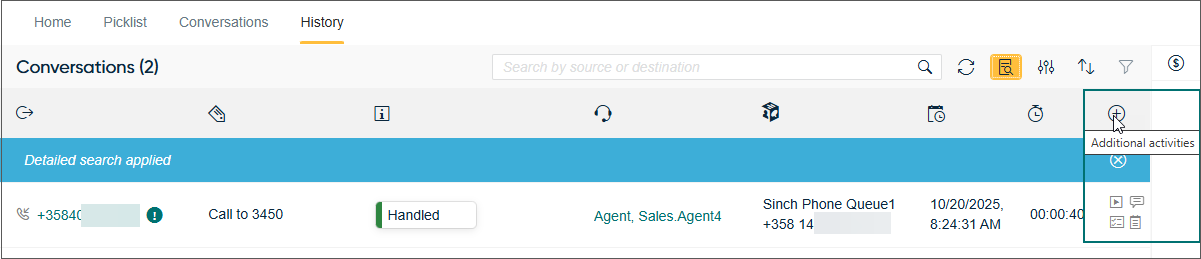
The search results table includes a new column with icons to identify recordings, transcripts, scripting, and internal notes.
Filters for all four activity types are now also available:
The new column Additional activities is also available in the Picklist view.

Dial pad improvements
-
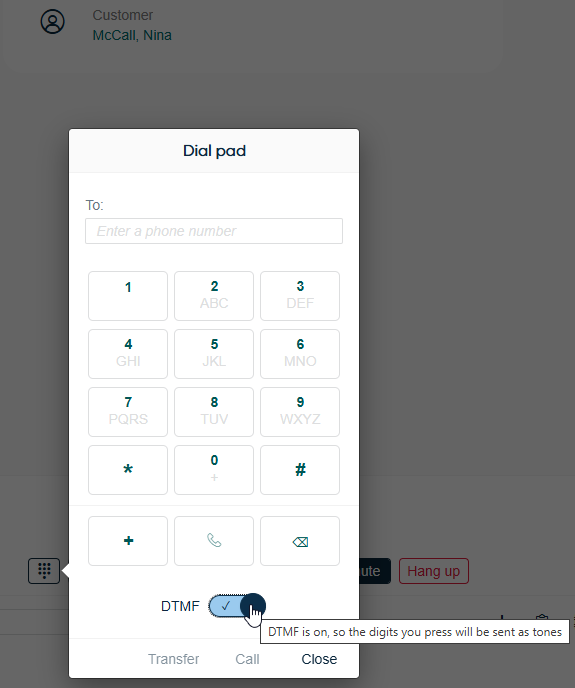
The previously used DTMF button has now been changed to a switch for better visualisation of its on/off state. Additionally, the on/off set state is now maintained between calls and user sessions.
-
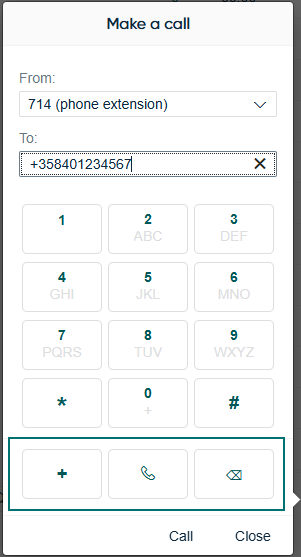
An additional row of buttons (keys) has been added to support a better mouse-only user experience:
- plus (+) via a single press
- call to make a call
- backspace to remove the last character
New SRM features
The Simultaneous ring mode (SRM) now supports hold, retrieve from hold, and warm transfer.
Third-party extensions
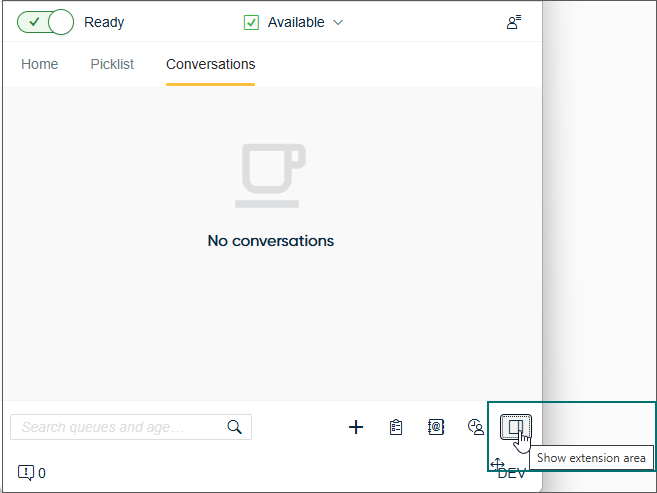
It's now possible to have the custom extension area in any of the main views: Home, Picklist, History, and Directory. Clicking the extension area button in the bottom right corner opens or hides the bar.
WebHID-supported devices
HID (Human Interface Device) now becomes a supported method to connect headsets in Contact Pro. It's now possible to connect to supported Contact Pro devices that support the WebHID standard for use with headset controls such as on/off hook, mute, and so on. In this beta release, the following devices are supported:
-
Jabra: Evolve 65 (USB) with Link 370 (Adapter), Engage 75 (Dock/USB2)
-
Poly/Plantronics: Voyager Focus 2 with BT700 (Dongle), EncorePro 525, Savi 8400 Office (DECT)
-
EPOS | Sennheiser: SC6x5 USB
Delivery status
CP now supports delivery status notifications for conversational messaging chats via Conversation API. This means that users see when their message has been sent, delivered, and read by the customer.
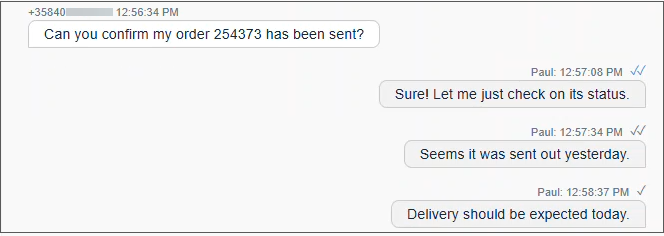
Showing customer name for calls and emails
The History and Picklist views, and the hunt group offering screen show the customer name for an incoming queue conversation if found in the Directory.
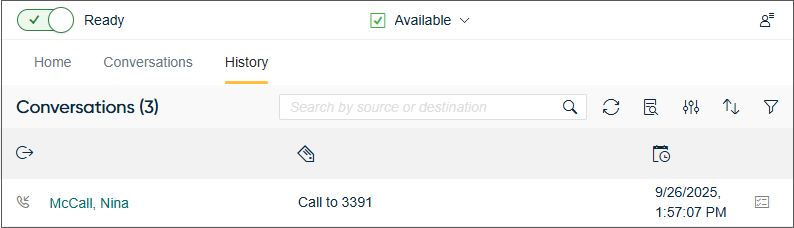
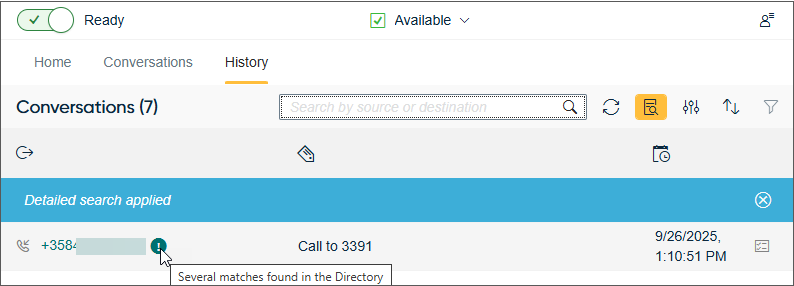
If there are several matches, CP shows the number/email address instead of a name and indicates this with the following:
Concurrent hunt group calls
Users can now take another hunt group call while one is on hold.
Email improvements
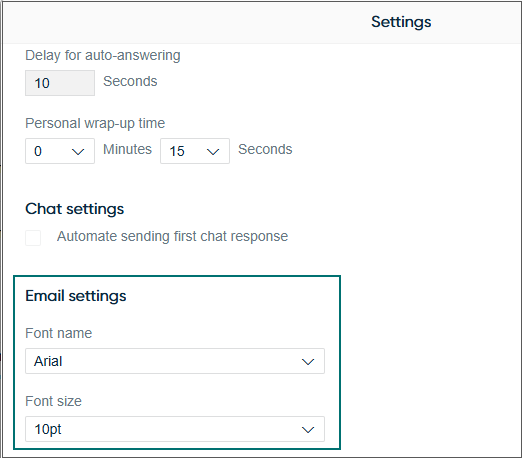
Email settings
CP has a default font and size as Arial 10pt. It's possible to define another font and/or size used in replies and new emails in .
Paste options
When users copy content from external sources, they now have the option to either paste it as plain text or with the formatting applied.
Refreshing information
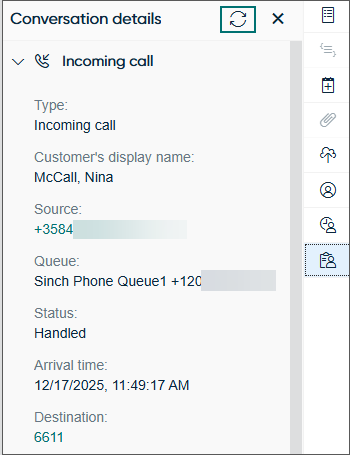
Conversation details has the refresh option for reloading information in the view.
Restoring date and time
A new button in the History and Picklist views lets users restore the date and time to their default values.
Arabic language
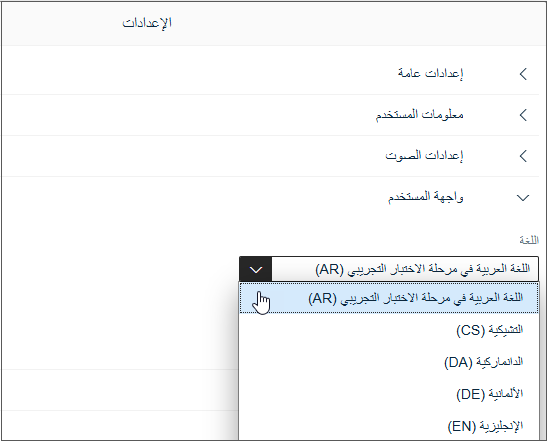
Arabic support is now offered in CP for beta testing and feedback.
Log improvements
-
The CP log can contain the WebRTC connection statistics for an ongoing call. To include the WebRTC connection statistics into the CP log, the user must download the log during an ongoing call.
-
All ringtone-related handling is now logged and can be tracked in the console and CP logs by searching for the keyword
tone
.
Visual enhancements
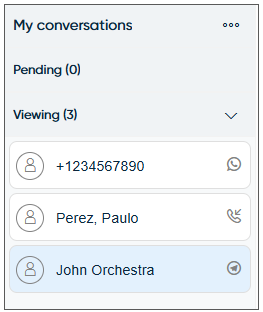
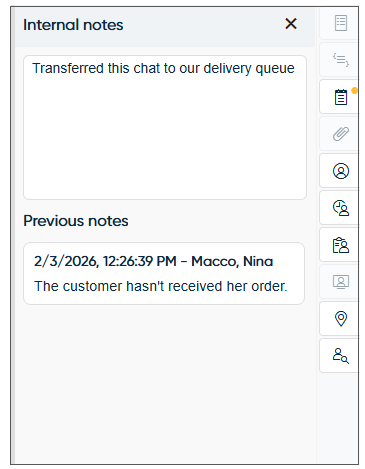
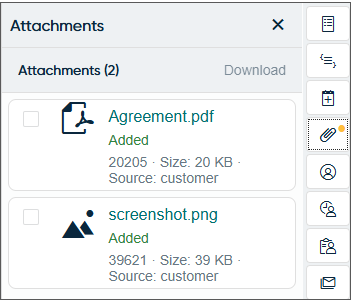
We’ve updated the theme of CP’s Conversation view. You’ll notice the biggest changes in the chat interface, along with some subtle updates in the extension area.
-
Colors of the default Sinch theme have been updated.
-
Panels in the extension area follow the new theme.
-
Spacing has been increased between components.
-
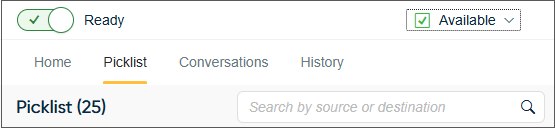
Placeholder texts are more visible.
-
Chat bubbles have a new look and color:
-
Yellow avatar and message bubbles for messages received from customers
-
Green avatar and message bubbles for messages sent by agents
-
Blue avatar and message bubbles for messages sent by the system, for example, prompts
-
Gray centered info message bubbles indicate system state messages, for example, chat ended

-
Dial pad for campaign and conference calls
The dial pad is now available for sending DTMF tones during active campaign calls and conference calls.
Additional date and time separator
For rare cases where a chat (such as SMS) is received out of sequence from its sending CP will indicate such a case has occurred with an additional date and time separator. Additionally, the function used for updating message delivery status changes has been fixed. This ensures that the correct message is updated.
Adding a new consultation call for conference calls
It's now possible to place a new consultation call when the previously consulted party disconnects while the customer remains online. This enhancement ensures that active conference sessions can continue, allowing the agent to add another consulted participant without interruption.
Video assistance
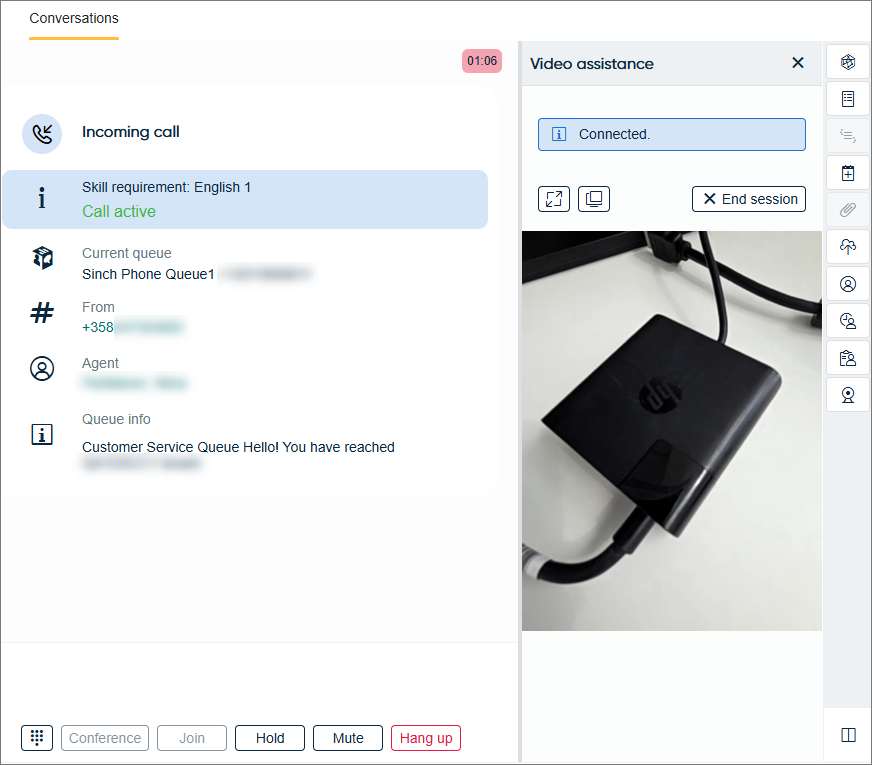
Agents can now invite the customer to share video from their mobile device during a phone call. This can be helpful, for example, when troubleshooting issues with a product. The customer's shared video is shown in the Video assistance extension in Communication Panel. The video stream is one-way from the customer to the agent.
To start video assistance, the agent sends an SMS invitation from the Video assistance extension. Once the customer taps the link they receive that opens in their browser, gives the necessary permissions, and selects the camera to use, their video stream appears in the extension.
The Video assistance extension has a button for opening the video as
picture-in-picture  in addition to the full screen button
  . These buttons
are only available if the environment allows using them. One or both of them may be
disabled, for example, when Communication Panel is embedded into another application.
. These buttons
are only available if the environment allows using them. One or both of them may be
disabled, for example, when Communication Panel is embedded into another application.
Conversation list timers
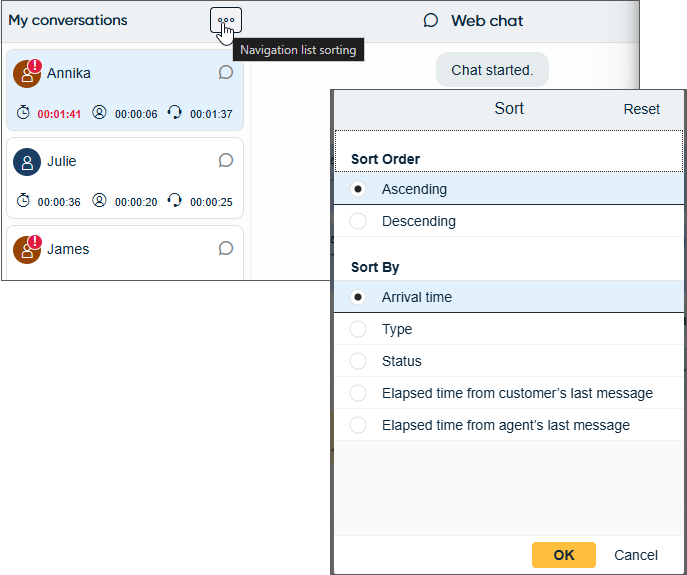
It's now possible to show timers for the active conversations in the My conversations list.
-
Elapsed time since the conversation arrived (applies to calls, emails, and chats)
-
Elapsed time from customer’s last message (applies to chats)
-
Elapsed time from agent’s last message (applies to chats)

Agents can also sort the active conversations based on the following criteria:
Preferred agent information
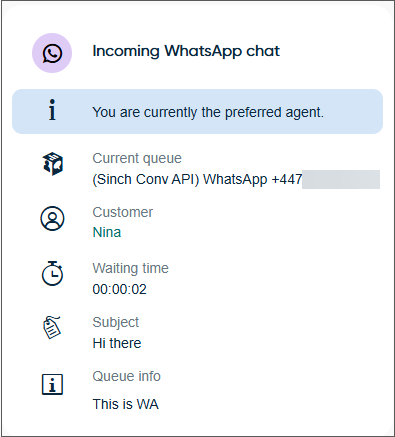
The offering screen now shows the following:
-
The You are currently the preferred agent text when the agent's status is Not ready and there's a chat is waiting for the preferred agent to accept the offered conversation
-
The subject in case of conversational messaging chats
Undo and Redo buttons
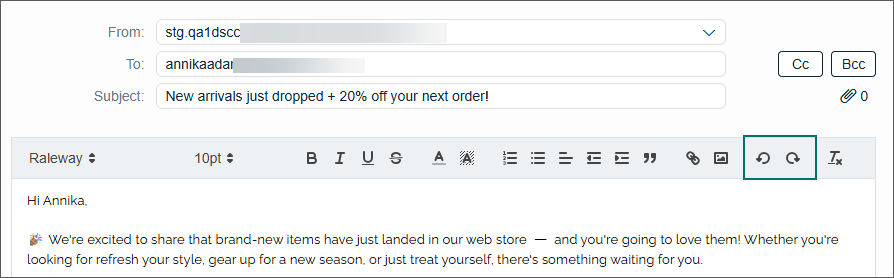
The email editor toolbar now includes buttons for reverting and reapplying changes in blocks instead of individual keystrokes.
Extension area split view
Communication Panel agents can now open two extensions side-by-side in the extension area if this has been allowed by the administrator in System Configurator. When the agent has turned on the split view, the second extension they click on opens to the right side of the first one. The next extensions they click on will replace the right-side extension. The first opened extension is permanent and stays open on the left side.
If the extension area is open as a pop-up window, you can only have one extension open at a time.