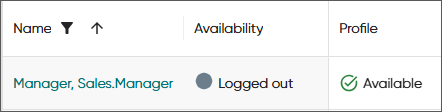
View agent statistics
To see agents' conversations and presence status since start of day, choose the Today's statistics tab. The in/out columns show real-time data. For calls and chats, it's all handled conversations during that day including active conversations. For emails, it's the ones that are marked as handled.
By default, this view refreshes automatically.
| Column | Description |
|---|---|
|
Agent |
Agent name |
|
Availability |
Agent's readiness to accept conversations and is one for the
following:
|
|
Profile |
The profile the agent has, for example, Available, Lunch, or Meeting. Note: If the agent is logged out, the
column shows their last selected
profile.
|
|
Conversations |
Number of conversations in process with the agent per conversation type. |
|
Conversations (in/out) |
The total number of conversations (both active and handled) |
|
Calls (in/out) |
The number of answered and active calls |
|
Chats (in/out) |
The number of answered and active chats |
|
Emails (in/out) |
The number of handled emails |
|
Handling time avg. |
The average time the agent has spent handling conversations |
|
Wrap-up |
Cumulative summary of the time periods when the agent has had the Wrap-up status |
|
Ready |
Cumulative summary of the time periods when the agent has had the Ready status |
|
Not ready |
Cumulative summary of the time periods when the agent has had the Not ready status |
|
Paused |
Cumulative summary of the time periods when the agent has had an absence profile (indicated with the red triangle icon) such as Meeting |
|
Status duration |
Duration of the current user status: Ready, Not ready, Pause, or Logged out |
|
Profile duration |
Duration of the current profile such as Available |