Communication Panel (CP)
The following changes and improvements have been made in Communication Panel.
Log improvements
-
The system console errors (unhandled exceptions) will be written to the CP log along with the error stack (origin file names and exact locations of the error).
-
JsSIP messages are now included in the CP logs when the log level is set to Medium or High.
Predictive search for email recipients
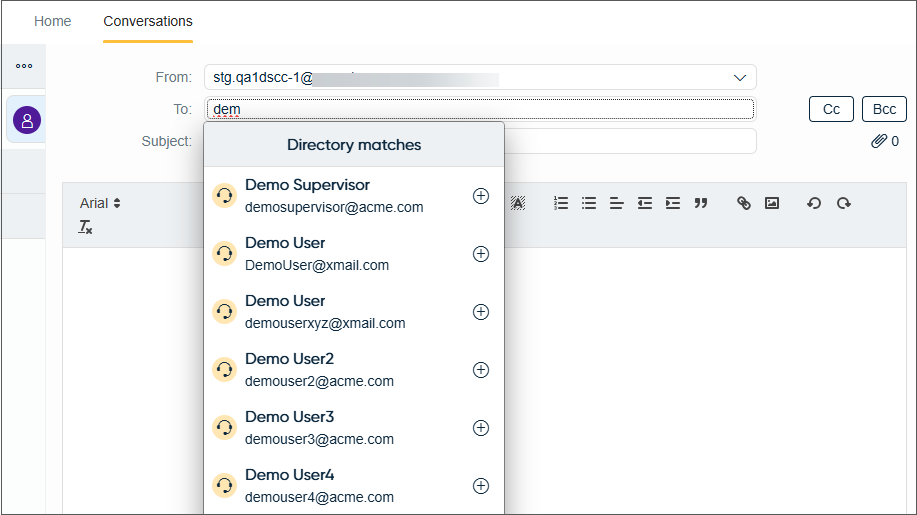
Agents can now add recipients to an email To, Cc, and Bcc fields from the Directory using a predictive type of search. When the agent starts typing, after three characters the Directory shows matches:
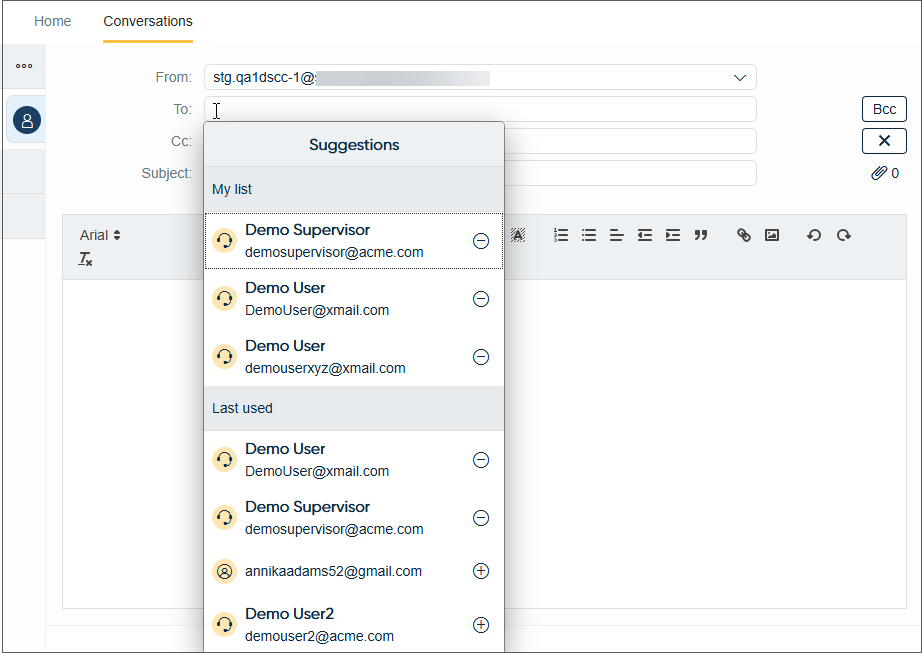
When the agent has sent the email and creates a new one, placing the cursor on the To, Cc, or Bcc fields and clicking, opens a list of last used recipients. Agents have the option to add recipients to their own list using the Add to My list button.

Added recipients are then shown with the Last used ones.
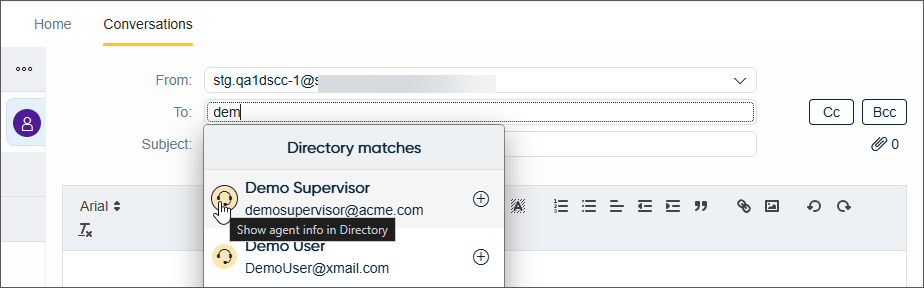
Clicking the avatar gives the option to open the Directory entry of the recipient.
From the feature request FR51
Business-Scoped User ID (BSUID) field
When creating a WhatsApp message to a customer, agents have the choice to use either a BSUID or phone number.
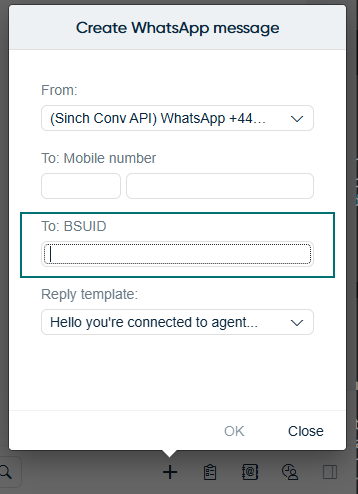
WhatsApp BSUID use is based on the rollout in your region.
New conversation from conversational messaging channels
It's now possible to start a new conversation from other supported conversational messaging channels where an ID is used for the contact. A conversation can be started either from the Create new menu or via a context menu for a Directory entry. Users will see these channel options dependent on their assigned queues.
Reorganized Create new menu
The Create new menu has been reorganized for better usability.
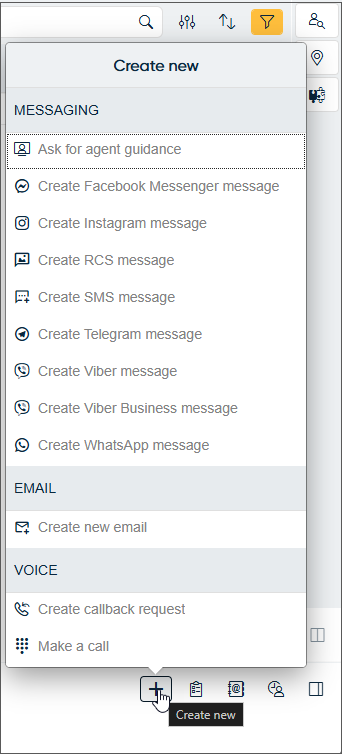
Available channels in the Messaging section depend on the agent's assigned queues. Agents can start outgoing messages from channels where they have queue access.
From the feature request FR969
Reply template keywords
For the Create new menu, the reply templates offered now support keywords for the additional conversational messaging channels. For more information, see Managing reply templates.
vCard support
CP can now receive virtual contact cards (vCard) sent via conversational messaging channels.
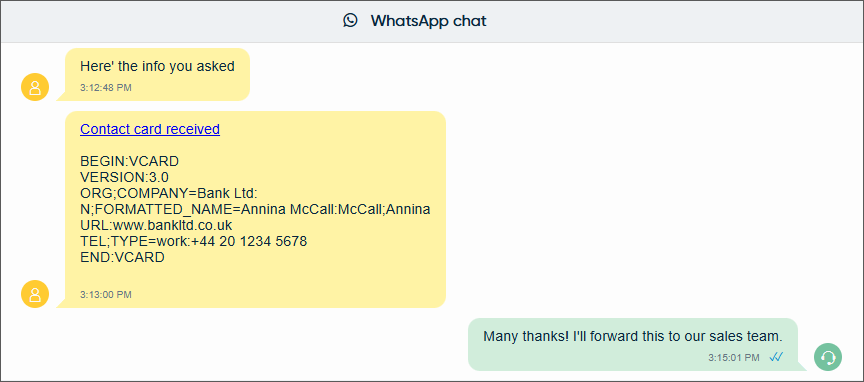
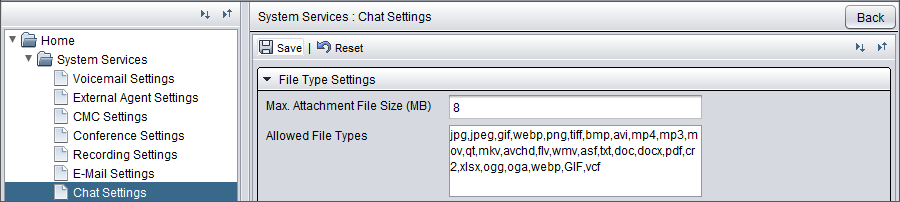
For CP to receive these cards, the file type vcf needs to be added to the allowed file types in System Configurator (SC).