
Handle a conversation
Conversations are either offered to you directly (auto-allocation queues), or if the picklist feature is enabled, you can pick them from hunt group queues or the Picklist and History views.
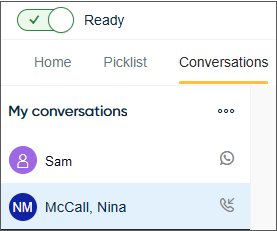
When you receive or start a conversation, a new conversation appears in the list with an associated icon beside it.
When a conversation is offered to you, a notification tone is played, you can choose the sound in Settings.
In an active conversation, some functions that you may use, such as a script or reply templates, open in the extension area
If you do not have active conversations, the focus moves automatically to the offered conversation. If you already have conversations open, the focus does not move but the new conversation appears in the list .
- a call, see Handle a call
- a chat, see Handle a chat
- an email conversation, see Handle an email.